
Popular topics

Popular topics

How to transfer assets to your funding account for P2P trading
By: WEEX
|
0
P2P trading on WEEX uses your funding account. Transfer funds from your spot account or other accounts before placing a P2P order.
How can I transfer assets to my funding account?
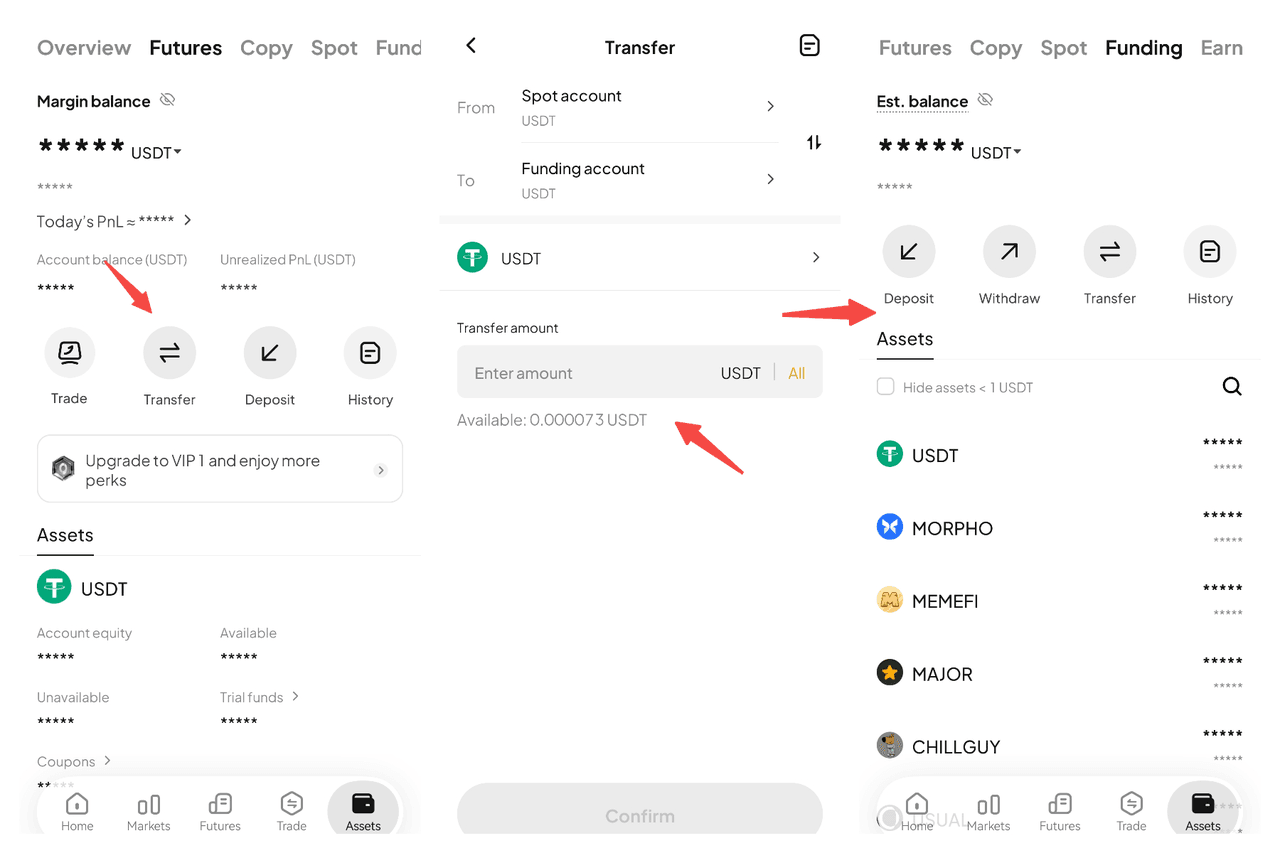
Step 1: Go to transfer
- Log in to your WEEX account.
- Tap Assets in the lower-right corner.
- Tap Transfer.
Step 2: Select your funding account
- Choose the account you want to transfer assets from, such as your spot account.
- Select Funding Account as the destination.
- Choose your cryptocurrency, enter an amount, and select Confirm.
Step 3: Start trading
- Go to your funding account to check your balance.
- Start buying and selling crypto on WEEX P2P.
Notes
• Your funding account is used for all P2P trading.
• Transfers between accounts are instant and free.
• Maintain a sufficient balance in your funding account before placing orders.
FAQ
- Can I use my spot account to trade on P2P?
No. Funds in your spot account cannot be used directly for P2P trading. Transfer your assets to your funding account first.
- Are there any fees for transferring to my funding account?
No. Transfers between accounts on WEEX are instant and free of charge.
- What should I do before placing a P2P order?
Make sure your assets are available in your funding account. Check your available balance before you begin P2P trading.
- How long does it take to transfer assets to my funding account?
Transfers between accounts on WEEX are instant. Your funds will be available in your funding account immediately after you confirm the transfer.
Related articles
Share
Gainers


Customer Support:@weikecs
Business Cooperation:@weikecs
Quant Trading & MM:bd@weex.com
VIP Program:support@weex.com
