
Easypaisa P2P Payments: How to Choose a Merchant and Confirm a USDT Order

 Prefer us on Google


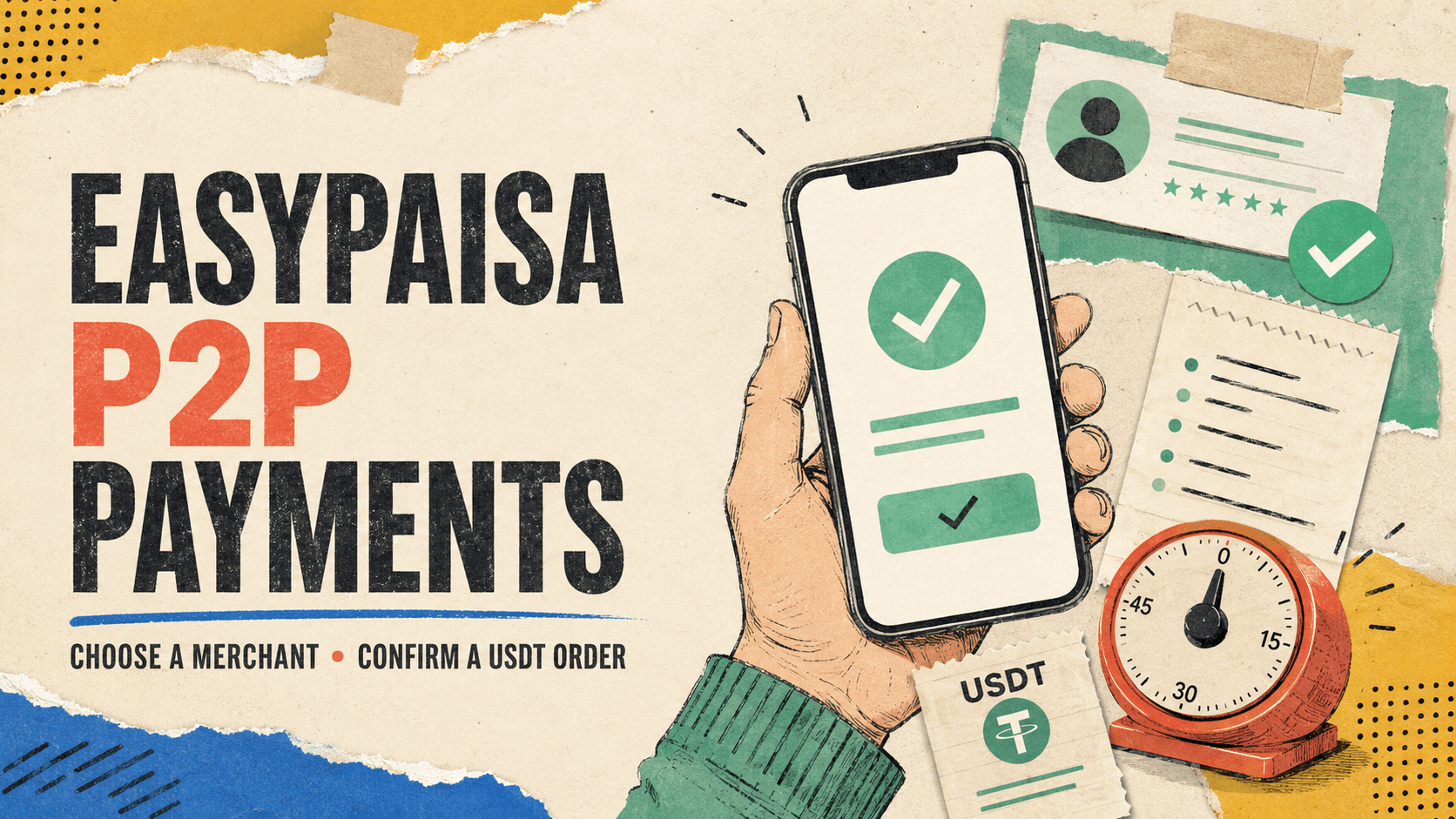
Choosing a merchant and confirming an order are two separate skills that most traders blur together, but the confirmation step, what happens after you've already picked a seller and the clock starts running, is where most avoidable losses actually happen. Knowing how order timers work, what counts as valid payment proof, and how the appeal process functions matters just as much as picking a reputable merchant in the first place.
What Choosing a Merchant Should Actually Look Like Before You Click Buy
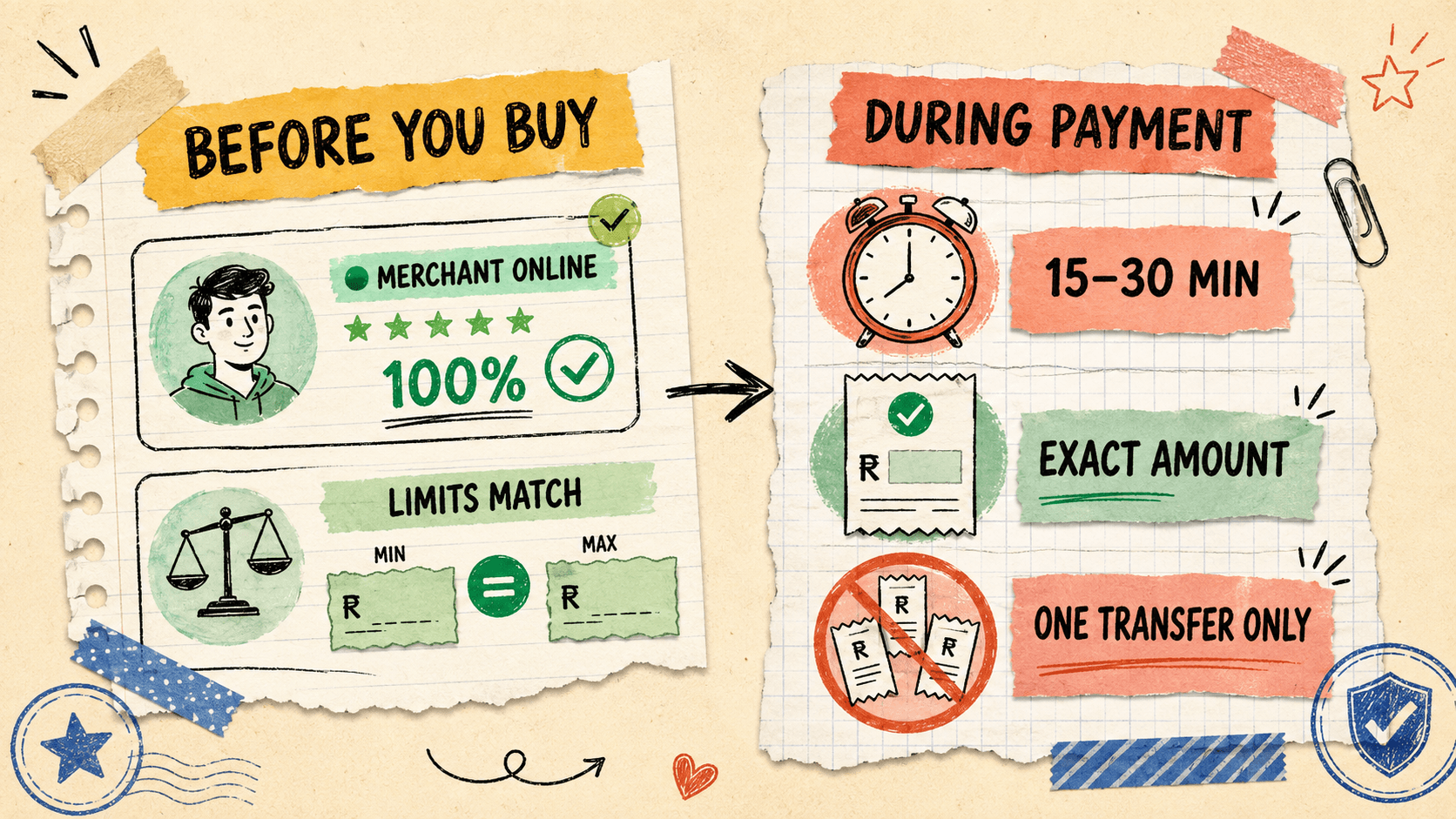
Beyond checking a merchant's completion rate and history, the two details that matter most in the moment of choosing are their current online status and whether their posted limits actually fit your Easypaisa account's own tier. A highly rated merchant who is currently offline, or whose minimum trade size sits above what your Easypaisa verification tier allows you to send comfortably, isn't a safe choice for right now even if their profile looks strong on paper.
Matching Limits Before You Commit, Not After
Placing an order that turns out to exceed your Easypaisa account's actual sending limit mid-transaction is a common, entirely avoidable way to end up with a stalled trade and a ticking payment clock you can't meet. Checking your own current Easypaisa limit against a merchant's stated minimum and maximum before placing the order, rather than after, removes this failure point before it can happen.
Understanding the Order Timer: Why Speed Matters More Than You Think
Every P2P order runs on a fixed payment window, typically fifteen to thirty minutes depending on the platform and payment method, and failing to send payment or mark the order as paid within that window usually results in automatic cancellation. This timer exists to protect sellers from having their USDT locked in escrow indefinitely against a buyer who never actually intends to pay.
The Payment Window and What Happens If You Miss It
If the payment window closes before you've sent funds, the order cancels automatically and the seller's USDT returns to their available balance, at which point you'd need to place a fresh order, possibly at a different rate if the market has moved. This is straightforward to avoid simply by having your Easypaisa app open and ready before placing the order, rather than opening a trade and only then going to find your banking app.
Never Split a Single Order Across Multiple Easypaisa Transfers
Sending the agreed amount as several smaller Easypaisa transfers instead of one single transaction is a common reason trades get flagged or disputed, since it becomes harder for the seller to match multiple partial payments against a single expected order amount. Platform guidance across major P2P marketplaces consistently instructs buyers to complete payment in one transfer matching the exact order amount, and deviating from that, even with good intentions, increases the odds of a confusing or contested outcome.
How to Correctly Confirm a Payment: The Mark-as-Paid Step
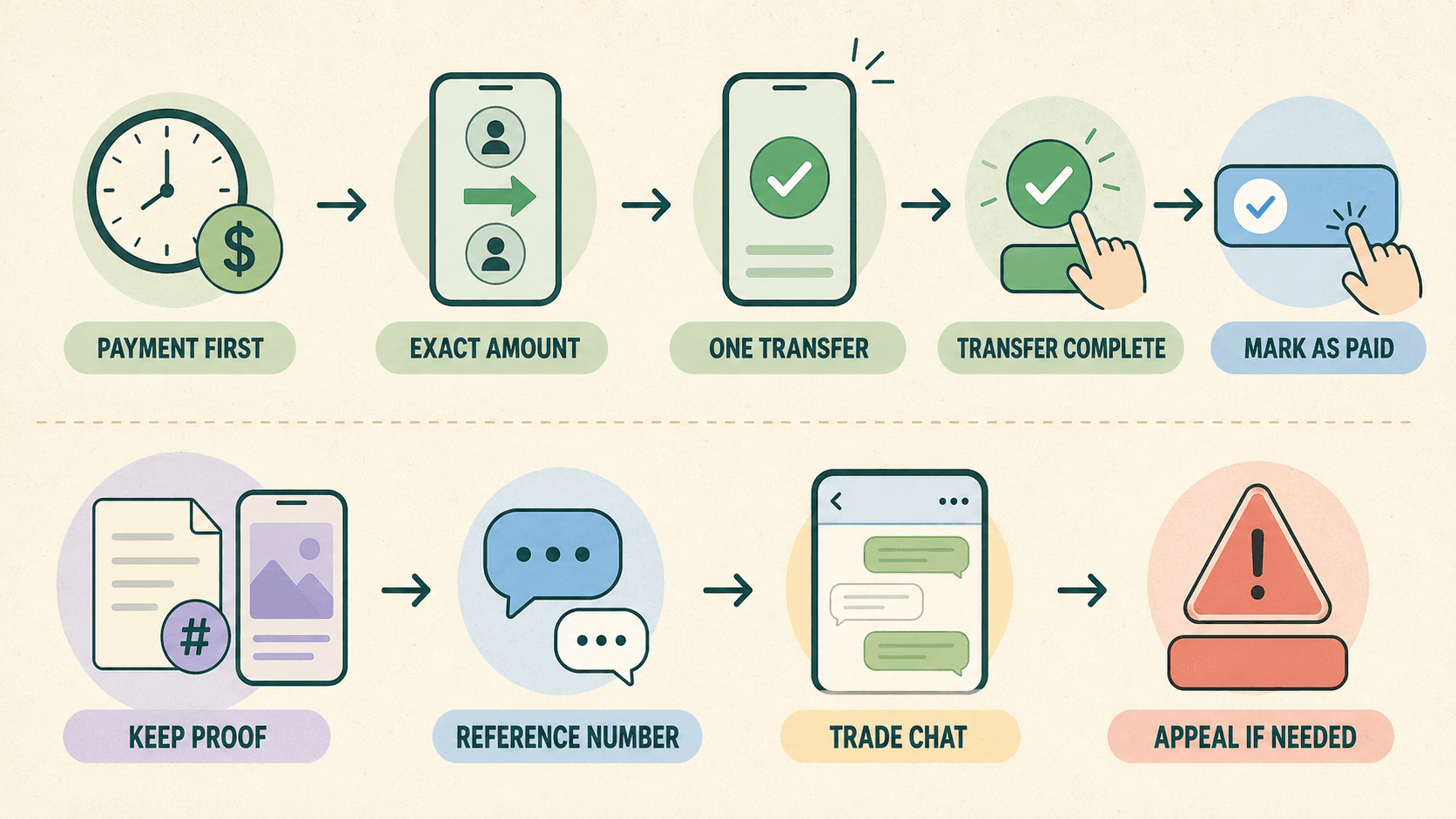
Clicking "mark as paid" is a declaration to the seller and the platform that money has actually left your account, and doing this before payment is genuinely sent, even briefly by mistake, can trigger real consequences if the order later needs to be cancelled. Only mark an order as paid once you've confirmed the Easypaisa transfer actually went through successfully on your end.
What to Attach as Proof Beyond a Screenshot
A payment confirmation should include the Easypaisa transaction reference number generated at the time of transfer, not just a screenshot of the app, since the reference number is what a seller can independently verify against their own account history. Keeping this reference number visible in the trade chat gives both sides, and any support agent who might later review a dispute, something concrete to check rather than an image that could theoretically be altered.
Why Overpayment Can Be Just as Risky as Underpayment
Sending more PKR than the order actually specifies creates its own complication, since the seller is only obligated to release the USDT amount tied to the original order and any excess has to be separately refunded through the platform's own process. If a seller refuses to refund an accidental overpayment, responsibility for that lost difference typically falls on the buyer who sent the wrong amount, which is exactly why double-checking the exact figure before sending matters as much as sending it on time.
| Order Stage | What to Check | Why It Matters |
|---|---|---|
| Before placing order | Merchant online status and limit match | Avoids a stalled trade against an unavailable or mismatched merchant |
| During payment window | Exact amount, single transfer only | Prevents disputes from partial or overpaid transfers |
| Marking as paid | Confirm transfer actually completed first | False "paid" clicks can restrict your own account over time |
| After payment sent | Save transaction reference number | Gives concrete proof if a dispute needs to be escalated |
-- Price
What Happens If a Trade Goes Wrong: The Appeal Process
If a seller doesn't release escrow after you've genuinely sent payment, the first step is raising it directly in the trade chat with your transaction reference number before escalating, since many delays resolve once a seller simply checks their account properly. If that doesn't resolve things within a reasonable window, most platforms allow a formal appeal where a support agent reviews the submitted evidence and can release the escrowed USDT manually if the payment proof holds up.
Contact the Merchant First, Then Escalate
Reaching out through the trade chat first, clearly, with your reference number attached, resolves the majority of stalled trades faster than jumping straight to a formal appeal, since sellers sometimes simply haven't checked their account yet rather than deliberately withholding release. If the seller is unresponsive or disputes having received the funds despite your reference number, escalating to a formal appeal with that same evidence is the appropriate next step.
What Counts as Valid Evidence
Platform support teams generally weigh transaction reference numbers, timestamped chat messages, and full payment screenshots together rather than any single piece of evidence in isolation, so keeping all three available strengthens a dispute considerably. Evidence of a payment sent to a third-party account, or to an account name that doesn't match the seller's verified details, generally works against the buyer under most platform rules, which is another reason matching the exact account details shown in the trade chat matters as much before payment as proof matters afterward.
Behavioral Patterns That Can Get Your Own Account Restricted
Repeatedly clicking "mark as paid" on orders where payment either wasn't sent or can't be verified, even if unintentional, is a pattern platform support teams track, and accumulating several such incidents can lead to functional restrictions on your own trading account. This is worth knowing specifically because new traders sometimes click through confirmation steps too quickly under the pressure of a payment timer, not realizing that a pattern of false confirmations carries consequences beyond the individual order it happened on.
Treating merchant selection and order confirmation as two distinct skills, choosing well before you commit and executing carefully once the clock starts, closes most of the gap between a smooth Easypaisa P2P trade and one that ends up in a dispute. The mechanics themselves are simple; the discipline around timing, proof, and exact amounts is what actually determines how most trades turn out.
Frequently Asked Questions About Easypaisa P2P Order Confirmation
1. How long do I have to pay after placing a P2P order with Easypaisa
Most platforms set a payment window of roughly fifteen to thirty minutes, after which an unpaid order is automatically cancelled and the seller's USDT returns to their available balance.
Having your Easypaisa app open and ready before placing the order, rather than searching for it afterward, is the simplest way to avoid running out of time.
2. What should I do if I accidentally sent more PKR than the order required
Contact the seller through the trade chat immediately and request a refund of the overpaid amount, providing your transaction reference number as proof of the discrepancy.
If the seller refuses to refund the excess, responsibility for that overpaid amount generally falls on the buyer, which is why confirming the exact order amount before sending payment matters.
3. Is a payment screenshot enough proof if a dispute arises
A screenshot alone is weaker evidence than a screenshot paired with the Easypaisa transaction reference number, since the reference number can be independently checked against account records rather than relying on an image that could be altered.
Keeping both the reference number and the screenshot together, along with the chat history, gives the strongest possible evidence set if a formal appeal becomes necessary.
4. Can my account get restricted for mistakes I made during a P2P trade
Yes, repeatedly marking orders as paid when payment wasn't actually sent or verified is a tracked pattern that can lead to functional restrictions on your account over time, even if each individual instance was unintentional.
Only confirming payment after genuinely verifying the transfer went through is the simplest way to avoid this pattern building up.
5. Should I split a large payment into several smaller Easypaisa transfers to a merchant
No, sending the full order amount as a single transfer is the standard expectation across P2P platforms, since splitting payment into multiple transfers makes it harder for the seller to match funds against the order and increases the chance of a dispute.
If a trade amount feels too large to send comfortably in one transfer, it's generally better to negotiate a smaller order size with the seller rather than splitting payment on your own.
This content is provided for general informational purposes only and doesn't constitute financial, investment, legal, or tax advice. Any events, rewards, online promotions, or related information mentioned herein should not be considered a recommendation, solicitation, or invitation to purchase, sell, trade, or otherwise deal in any crypto assets. Crypto assets are highly volatile and may result in loss. The availability of WEEX services, products, and related events may vary by region. You are responsible for ensuring that your participation is in accordance with applicable local laws and regulations.
You may also like

What Is Tangem Wallet? A Complete Beginner's Guide

MetaMask Seed Phrase & Private Key Security Guide
What Is MetaMask? A Complete Beginner's Guide
Is Arbitrum (ARB) Worth Buying After Its 30% Rally? An Analysis About Utility, Supply and Risks
Stealth XST Coin: The $1,806 Daily Volume Behind a $2.3M Cap
Dell Earnings: $95B AI Backlog Now Dwarfs Its Own Guidance

Dell Stock Surges 9.4% After Smashing Earnings Estimates: What Drove the AI Server Beat
XST ETF vs XST Coin (XSolut): Don't Confuse These Two Completely Different Assets

What Is PONS? Inside the "100x Coin" Taking Over Robinhood Chain
ARK Invest Crypto Stocks vs ARKB: How Cathie Wood Gets Crypto Exposure
Which ARK ETFs Hold Coinbase Stock? COIN Exposure in ARKK, ARKW and ARKF

How Much Coinbase Stock Does Cathie Wood Own? ARK’s COIN Position Explained

Why Is Cathie Wood’s ARK Invest Buying Coinbase, Circle, BitMine and Bullish?
Cathie Wood’s $50 Million Crypto Stock Bet Explained: What Did ARK Invest Buy?
AIINU: How a "100x Coin" on Robinhood Chain Turned NVDA Stock Into a Memecoin
"We're Back": Why Strategy's Return to Bitcoin Buying Is Moving More Than Just MSTR Stock
When Can You Trade U.S. Stock Tokens? Trading Hours Explained

Robinhood Built a Chain for Tokenized Stocks: Did It Just Become a Meme Coin Casino?
Should You Buy RST (Raini Studios Token)? What Low Liquidity and No Migration Plan Actually Mean
What Are Spot Stock Tokens? How Synthetic Stock Trading Works
Cathie Wood Nvidia Stock Purchase: What ARK's August Buys Show
PEP Stock Analysis: Why PEPon Trades Above PepsiCo Shares
SpaceX Stock Price Holds Near $141: Why Isn't a $100 Billion Spaceport Plan Moving It?
"我的女友景甜" Days Later: What Happened to the Viral Meme Coin
XST Coin Price Bounced 19% Off a New Low in Hours: Is This the Bottom or Just Noise?
Is NVDA Stock Overvalued After Record Q2 Earnings?
NVDA Stock Pulls Back After Earnings: Is $250 Still Next?
Salesforce Stock Price Targets Are Rising Fast: What Wall Street Actually Sees
MRVL Stock Price Target: Why Options Traders Bet on $300 Before Earnings
Marvell Stock (MRVL) Beat Earnings and Raised Guidance: Why Did It Fall Anyway?
What Is Tangem Wallet? A Complete Beginner's Guide
MetaMask Seed Phrase & Private Key Security Guide
What Is MetaMask? A Complete Beginner's Guide
Is Arbitrum (ARB) Worth Buying After Its 30% Rally? An Analysis About Utility, Supply and Risks
Stealth XST Coin: The $1,806 Daily Volume Behind a $2.3M Cap
Dell Earnings: $95B AI Backlog Now Dwarfs Its Own Guidance





